
Hello friends,
Today, I would like to introduce the PDFRoot Crop Image Tool and explain what makes it different from ordinary online cropping tools.
Many websites allow users to crop an image, but most of them are limited to basic cropping. PDFRoot has been designed as a smart and practical crop image tool, especially for students, teachers, cyber cafés, offices, and people filling out government or private online forms.
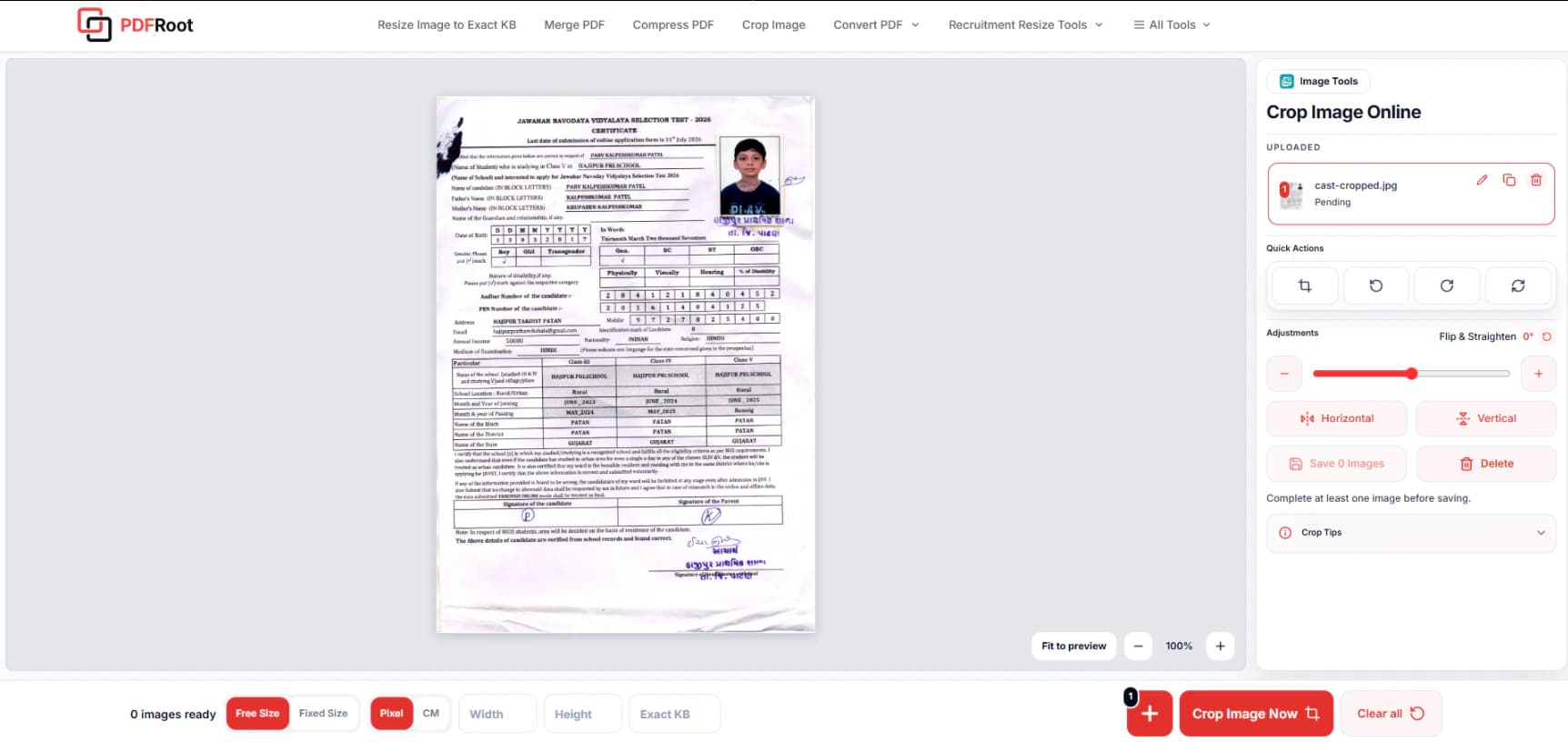
Open Crop Image Online whenever you need to prepare several photos, signatures, or document images in one workspace.
Crop, copy, resize and prepare multiple online-form images in one workspace.
Crop Multiple Images from One A4 Page
Suppose you have an A4-size scanned page containing a photograph, signature, thumb impression, or several document images.
Normally, you may need to upload the same page repeatedly to crop each item separately. With PDFRoot, you can easily create multiple copies of the uploaded page.
A practical example
- Use the first copy to crop the photograph.
- Use the second copy to crop the signature.
- Use the third copy to crop another document or image.
After completing one crop, the next copy of the same page is ready for editing. This allows you to create several separate images without uploading the same file again and again.
More Than a Basic Crop Tool
The PDFRoot Crop Image Tool provides several useful options in one place.
Everything you can do in one workspace
- Crop any required area of an image
- Create multiple copies of the uploaded image
- Set the required width and height
- Adjust image dimensions in pixels or centimetres
- Set the required image size in KB
- Rotate the image left or right
- Flip the image horizontally or vertically
- Rename the output file
- Preview the image before saving
- Save multiple cropped images to your device
These features make the tool useful for online applications where photographs, signatures, thumb impressions, and documents must follow specific size and dimension requirements.
After cropping, use Resize Image to Exact KB when a form requires a precise file size, or Compress Image Online when you only need to reduce the file.
Why Was This Tool Created?
Many government and private schools now have computers and internet facilities. However, teachers and staff may still need to travel to cyber cafés or other service centres to complete online student forms.
I once asked some teachers why they travelled so far for this work even though their schools had computers and internet access.
They explained that preparing the required photograph size, setting the correct dimensions and KB, and cropping several separate images from one scanned page was difficult for them.
As a result, they had to spend valuable time travelling and completing work outside the school. Their absence could also affect students and regular school activities.
After hearing about this problem, the idea of creating the PDFRoot Crop Image Tool was born.
The main purpose was to provide a simple tool that could help teachers, students, institutions, cyber cafés, offices, and general users complete image-related work without requiring advanced editing knowledge.
Useful for Government and Private Online Forms
Online application forms often require files such as:
Common files you can prepare
- Passport-size photographs
- Signatures
- Thumb impressions
- Handwritten declarations
- Identity documents
- Certificates
- Scanned supporting documents
Each file may require a specific width, height, file format, or KB limit. PDFRoot helps users crop and prepare these images from one convenient workspace.
Explore the Government Recruitment Resize Tools for application-specific photo, signature, and document workflows.
Easy to Use on Mobile and Desktop
The tool is designed to work on both mobile phones and desktop computers. Its simple controls allow users to upload an image, select the required area, adjust its settings, and save the final result.
Users do not need professional photo-editing software or advanced technical knowledge.
A Complete Image Preparation Solution
There are many crop image tools available online, but PDFRoot is designed around the practical needs of people completing online forms.
Instead of providing only a basic cropping feature, it brings together copying, cropping, resizing, dimension settings, KB settings, rotation, flipping, renaming, previewing, and saving in one simple tool.
PDFRoot Crop Image Tool is not just a cropping tool. It is a complete and easy solution for preparing photos, signatures, and documents for online applications.
PDFRoot — All PDF & Image Tools in One Place
Crop, copy, resize and prepare multiple online-form images in one workspace.
Explore More PDFRoot Tools
Continue with the tool that matches your next image-preparation step, or browse all PDF and image tools.


